
Available only for Optimicapture pro
OptimiDoc Cloud allows document parameters to be stored in a separate file alongside the document. This file can be in XML or JSON format, and its content can be fully customised.
To export the metadata file, enable the Metadata Export option by selecting the checkbox on the Destination tab.
Once the option is enabled, the metadata file editor appears.
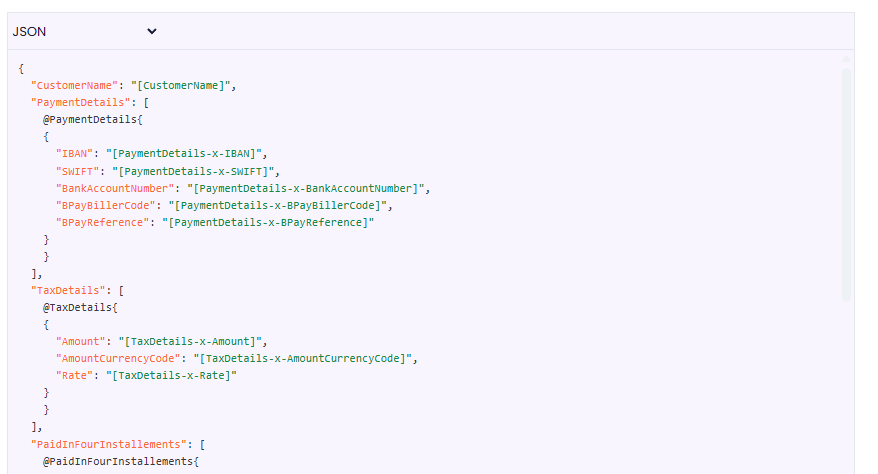
You can select the final output format and, if required, customise the file content using the options in the top‑left corner of the editor.
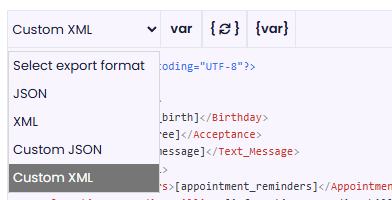
Customisation of XML and JSON
Custom formats allow you to modify the content of XML and JSON files in the editor.
To add a parameter, you can use the buttons in the top menu.
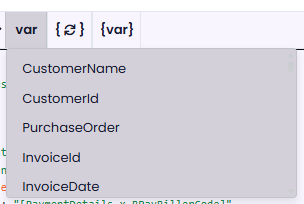
Available options:
-
var– lists variables extracted by AI -
{🔁}– lists all tables -
{var}– lists all variables from a table. To display variables, you must be in the text editor within a table element.
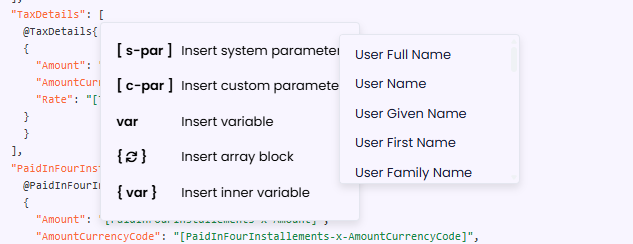
Alternatively, right‑click to open a menu that shows all available parameters.
The right‑click menu also provides additional system and custom parameters.
The final file must comply with XML or JSON formatting conventions and rules.