
The Dashboard is the initial screen displayed after the user logs in. It contains several widgets that provide a basic overview of recent system activity and user‑specific information.
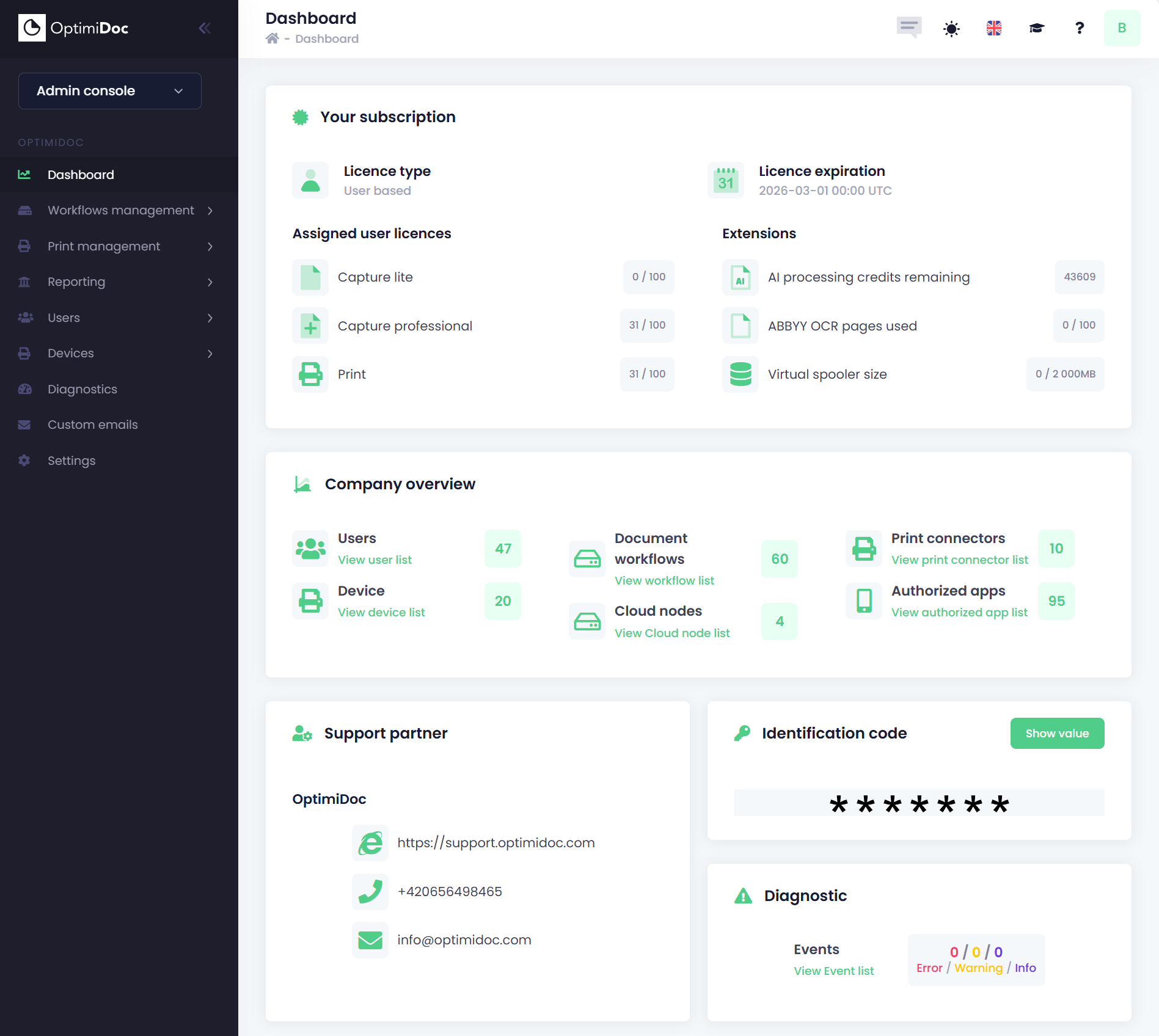
Available widgets:
-
Your Subscription
-
Licence Information
-
Licence type – Indicates whether your subscription is user‑based or device‑based.
-
Licence expiration – The expiration date of your OptimiDoc Cloud licence.
-
-
Assigned User Licences
-
Capture Lite – Number of Lite licences currently assigned (based on your licence type, assigned either to users or devices).
-
Capture Professional – Number of Professional licences assigned.
-
Print – Number of Print licences assigned (only shown if your subscription includes Print features).
-
-
Extensions
-
AI processing credit - The number of remaining AI credits, compared to your available monthly volume.
-
ABBYY OCR pages used – The number of ABBYY OCR pages consumed in the current month, compared to your available monthly volume.
-
Virtual spooler size – Current size of stored print jobs versus the total available virtual spooler capacity.
-
-
-
Company Overview
-
Users – Total number of users in the company.
-
Devices – Number of registered MFP devices.
-
Document workflows – Number of workflows created in the company.
-
Cloud nodes – Number of Cloud Nodes registered.
-
Print connectors – Number of configured print connectors.
-
Authorised apps – Number of applications authorised for use within the company.
You can navigate directly to the corresponding portal by clicking the View link.
-
-
Support Partner - Displays the name and contact details of your assigned partners who can manage your settings and assist with configuration.
You can remove support partners in the Settings section. -
Identification Code - Shows your company’s identification code.
Click Show value to display the full ID. -
Diagnostics - Shows the number of errors, warnings, and information messages in your event log, with a direct link to the detailed list.