
Use the SFTP destination to deliver scanned documents from OptimiDoc Cloud directly to a folder on your SFTP server.
SFTP destinations are non‑user‑specific only. User‑specific mode is not supported for SFTP.
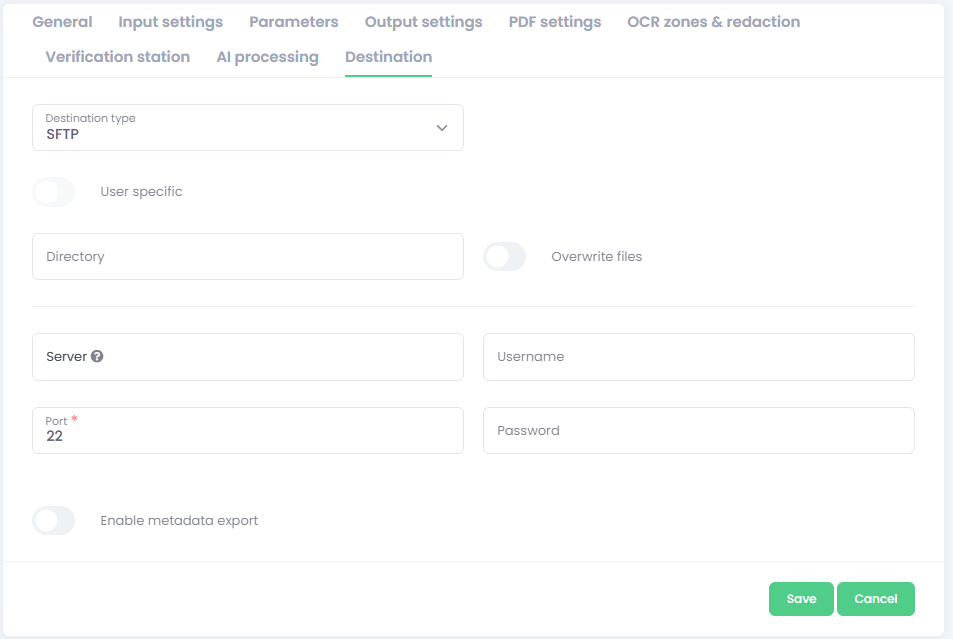
-
Select the SFTP destination type.
-
Enter the configuration fields:
-
Directory - Enter the final directory for scanned documents on your FTP/FTPS server (e.g.,
/incoming/scans). You may use parameters for dynamic paths if your design requires variable directories. -
Overwrite files – Enable to replace an existing file when a document with the same name already exists. If disabled, OptimiDoc Cloud automatically appends a suffix (e.g.,
_001) to avoid overwriting.
Tip: If multiple users or devices deliver to the same path, consider keeping Overwrite files off and include parameters (e.g., date/time or device) in the file name to ensure uniqueness.
-
Server - The IP address or DNS name of your SFTP server (e.g., sftp.example.com).
-
Port - The port number used by your server.
-
Username / Password - Valid SFTP account credentials with permission to create files in the target directory.
-
Enable metadata export – activate this option to save a metadata file alongside the document.
Configuration of metadata files is described here: