
This section contains the core settings that define how the workflow behaves.
-
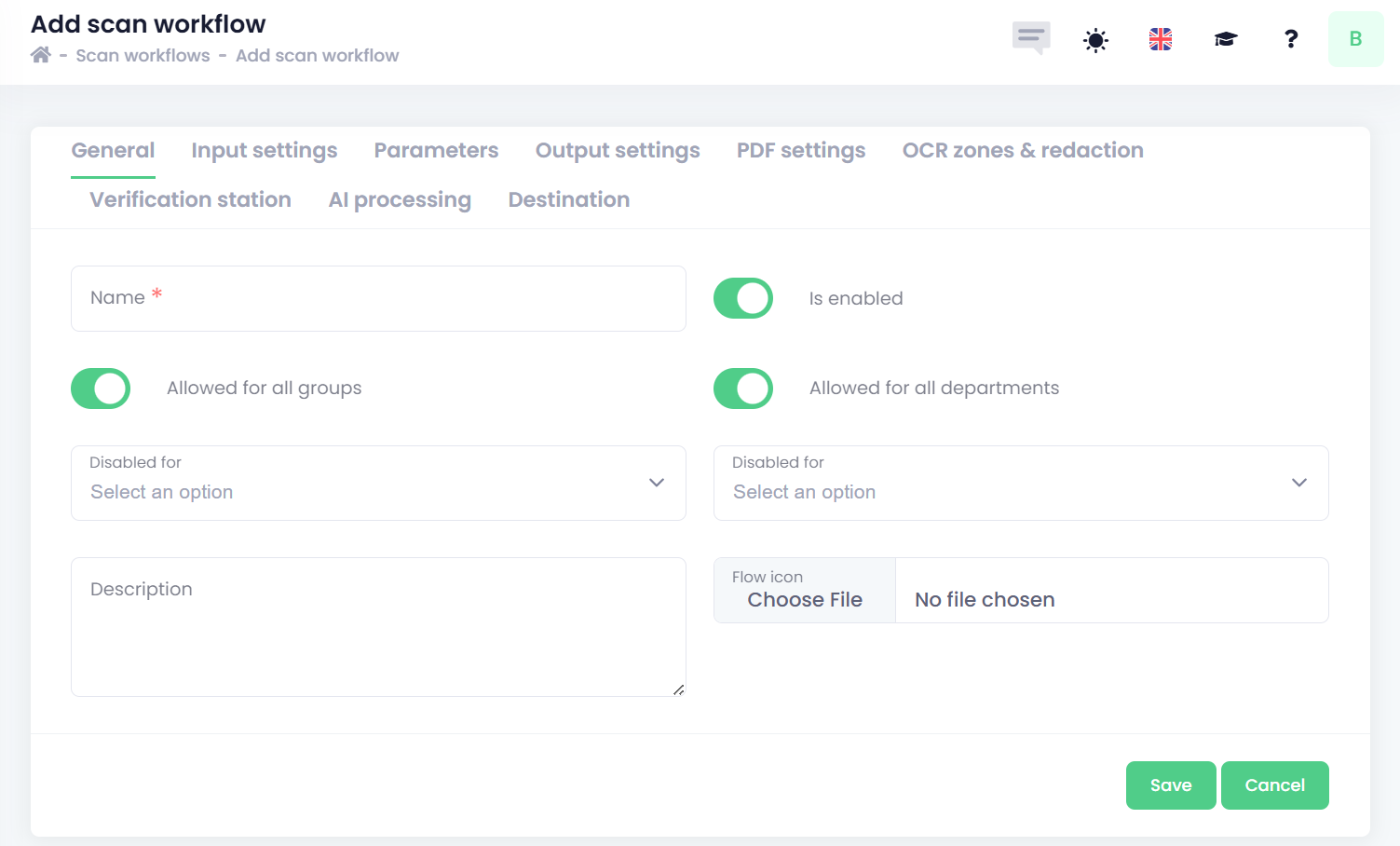
Name – The title of the scan workflow as it appears on the device panel.
-
Is enabled – Enables or disables the workflow.
-
Definition of access rights:
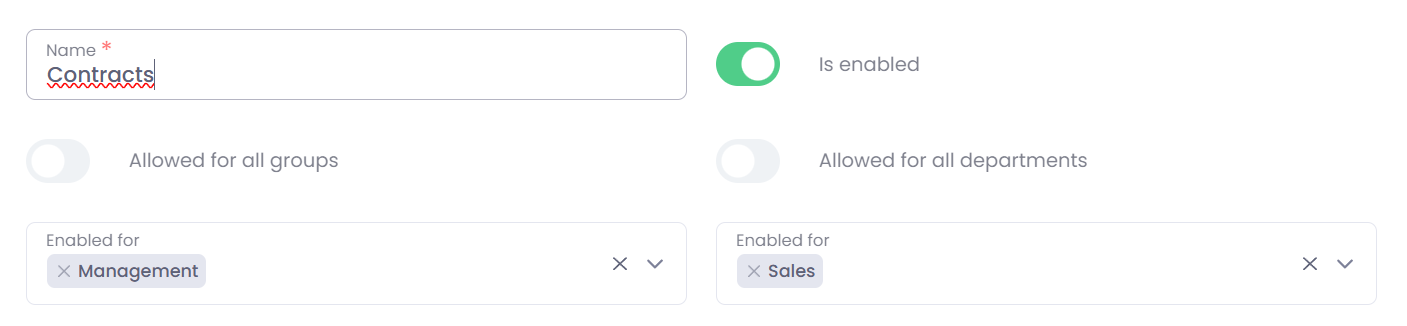
Access rights for document workflows can be defined by user groups, departments, or a combination of both. This flexibility allows you, for example, to grant access to the Contracts workflow exclusively to the Managers group while also making it available to the entire Sales department.
More detailed information about configuring Groups and Departments can be found in the Users section.-
Allowed for all groups – when enabled, this option grants the document workflow to every group in the company. If you want to manage access exclusively through departments instead of groups, you must disable this option.
-
Allowed for all departments – when enabled, this option grants the document workflow to all departments in the company. If you prefer to control access solely through groups, you must disable this option.
The remaining two options in the access‑rights section override the settings defined above. This means that even if access has been disabled for all groups or all departments, these options allow you to specify selected individual groups or departments that should or should not have access to the workflow. In other words, they refine the broader access rules by letting you choose the specific groups or departments that are permitted or not permitted to use the workflow. -
Disabled/Enabled for (groups/departments)
-
-
Description – A short description to help you identify the purpose of the workflow.
-
Flow icon - a graphical icon displayed in the End User Interface. Supported file formats are PNG and JPG.