
The Input settings section defines how the device captures the document before it is processed, converted, or delivered. These settings determine which input sources are available, how the scanner behaves, and which options the end user can adjust on the device panel.
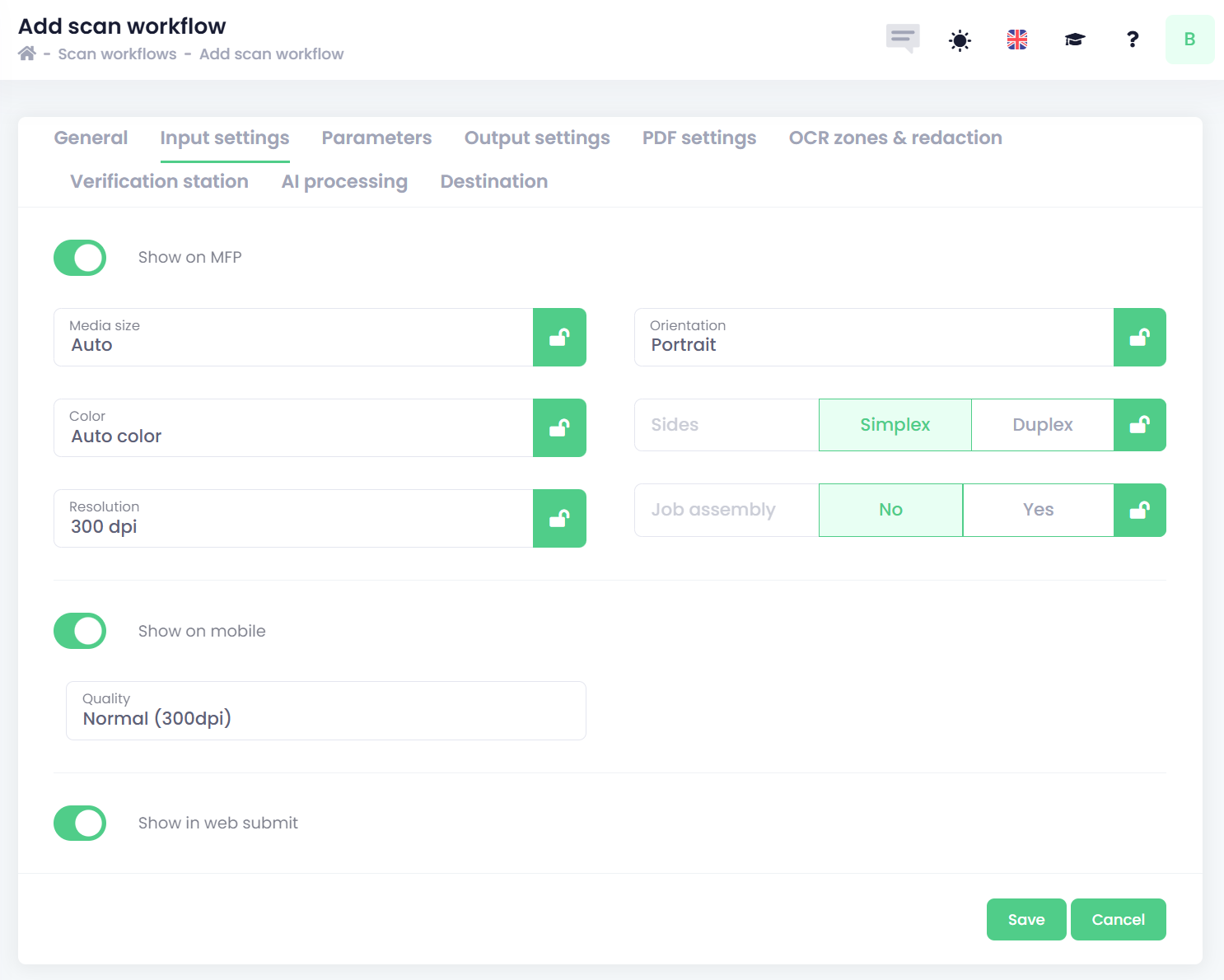
The administrator can choose which input sources are available by enabling any of the following options:
-
Show on MFP – makes the document workflow available on the multifunction device panel.
-
Show on mobile – allows the document workflow to be used within the mobile application.
-
Show in web submit – makes the document workflow available when submitting documents through the web interface.
MFP/Scanner setting
Some supported MFPs or scanners allow additional scan settings to be configured. These may include:
-
Media size – Select the expected paper size for the scanned document.
-
Auto - automatic detection of the scan original.
-
A3
-
A4
-
A5
-
A6
-
B4
-
Letter
-
Legal
-
-
Color – Choose the color mode for the scan.
-
Auto color
-
Color
-
Grayscale
-
-
Resolution – Define the scan resolution (DPI).
-
200
-
300
-
400
-
600
-
-
Orientation – Specify how the device should interpret the document’s rotation.
-
Portrait
-
Landscape
-
-
Sides – Choose whether the device scans single‑sided or double‑sided pages.
-
Simple
-
Duplex
-
-
Job assembly – Select whether individual scans should be combined into a single document.
By locking a particular setting using the 
Some setting options may be unavailable on certain MFP models, depending on the manufacturer.
Mobile application settings
-
Resolution – Define the mobile camera capture resolution (DPI).
-
Minimum (200dpi)
-
Normal (300dpi)
-
Best (400dpi)
-