
The Email destination allows you to deliver the final document to a mailbox.
The default sender email address is noreply@optimidoc.cloud.
To change the sender address, you can configure your own SMTP server and email address in the tenant settings section.
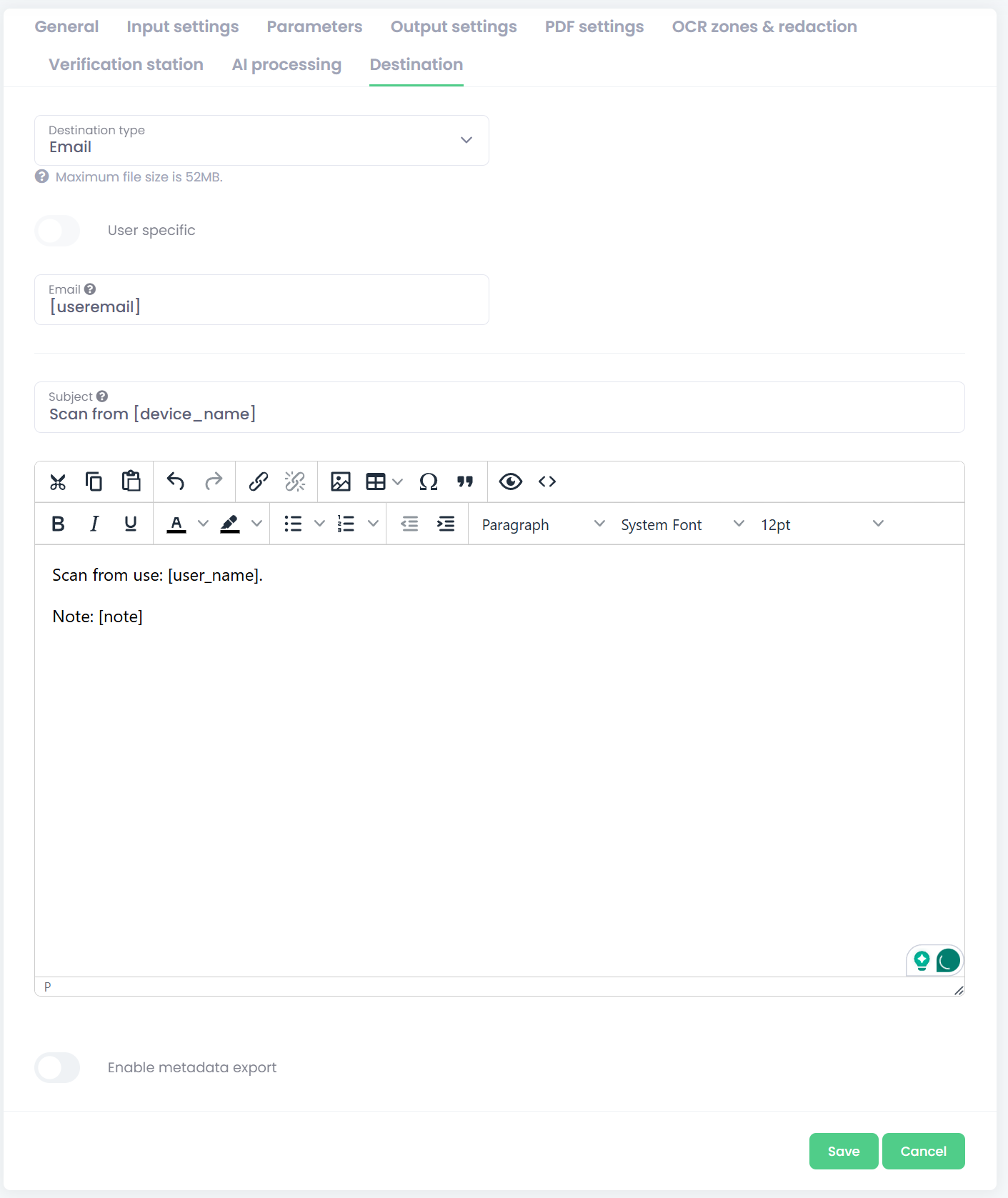
-
Select the Email destination type.
-
Fill required settings:
-
Enter parameter configuration:
-
Email - You can define the final email address:
-
Fixed (global) recipient – a predefined email address used for all deliveries.
-
User‑specific recipient – leave the field empty, and OptimiDoc Cloud automatically uses the logged‑in user’s email address.
-
Dynamic recipient – you can specify a parameter that will be used as the email address.
OptimiDoc Cloud provides a special parameter called User List, which allows you to select a user from those assigned to the tenant directly at MFP or mobile.
-
-
Subject - Email subject.
-
Body – Email body supporting HTML mail type.
Insert metadata such as username, workflow name, timestamp, etc. -
Enable metadata export – activate this option to save a metadata file alongside the document.
Configuration of metadata files is described here: Metadata export .
-