
The Directory parameter allows users to browse the folder structure in the final destination. It also enables creating new folders directly from the user interface.
More details about its usage are provided in the following section: OptimiDoc Cloud - End-User Guide
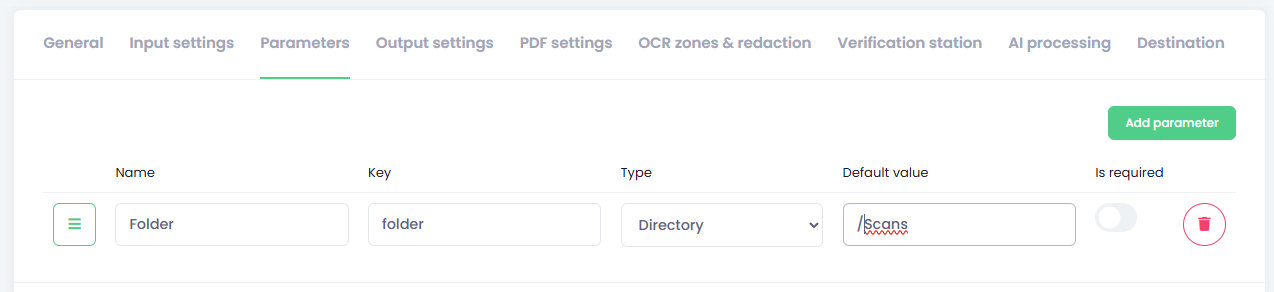
How to configure of directory parameter
-
Title – The name of the parameter displayed in the end‑user interface.
Key – The internal key used to reference this parameter. Use this key in the destination folder parameter.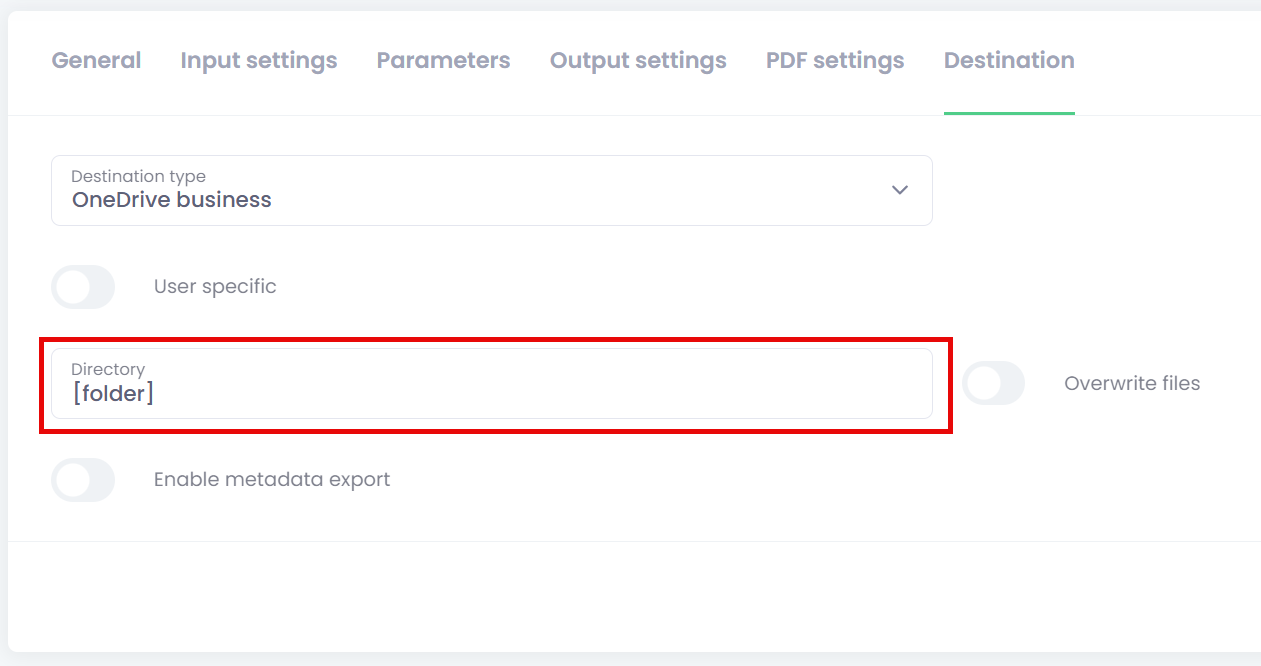
-
Type - Select Directory
-
Default value – Sets the lowest folder level the user can access from the OptimiDoc Cloud OptimiCapture application. This can be used to limit access when scanning to shared cloud storage (e.g.,
/contract/). -
Is required – Specifies whether the parameter must be filled in by the user.