
OCN Direct Print allows you to configure the OptimiDoc Cloud Node (OCN) to route print jobs directly to a specific printer.
How to setup direct print to selected pritner
-
Enable Gateway Mode
Enable Gateway mode in the OCN settings.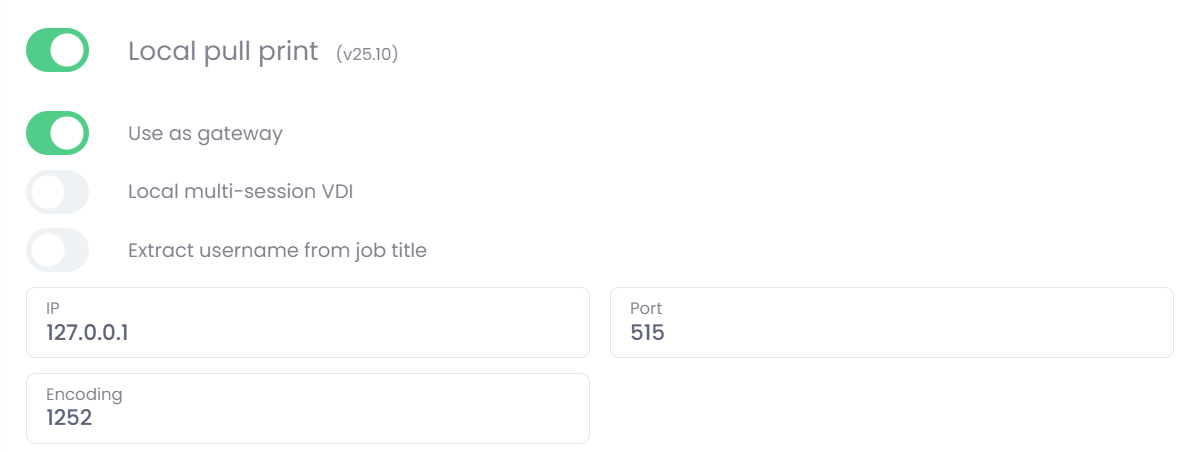
-
Obtain the Device Serial Number
Retrieve the device serial number (SN) from the Devices list or from the device edit view.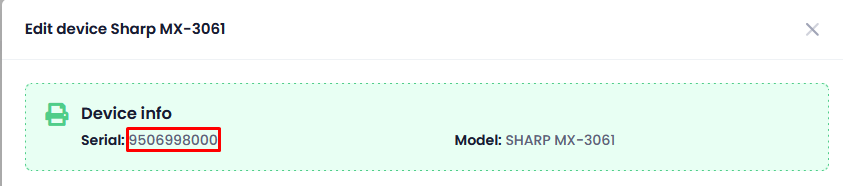
-
Create and Configure manually on the Printer on workstation
In the printer driver or port configuration, enter the device serial number into the queue field.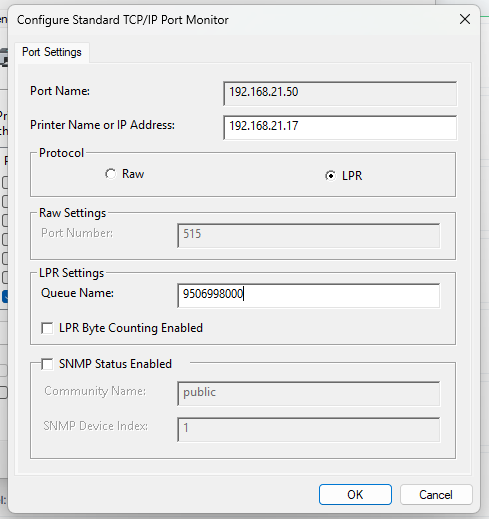
Once the configuration is saved, the OCN will route print jobs based on the serial number, and documents will be released directly on the specified printer.
A printer must have at least one running OptimiDoc Cloud Node (OCN) assigned to the same site.