OptimiDoc Cloud retrieves accounting data from devices using network accounting (JBA logs). This feature must be enabled manually.
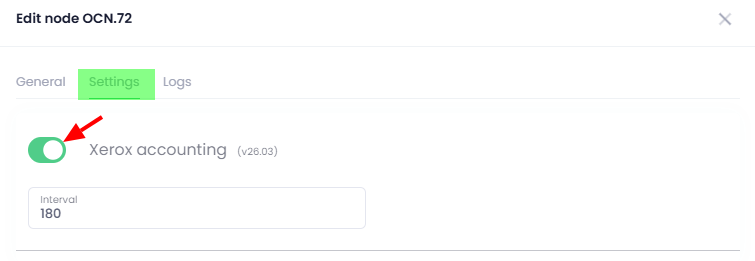
Additional setup is required on the OptimiDoc Cloud Node (OCN), specifically enabling the OCN accounting plugin and edit its interval (if needed), what can be done on the cloud portal, in the Admin console > Devices > OCN section.
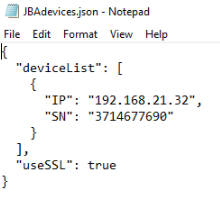
Once configured, the device will appear in the “JBAdevices.json” file located in the OCN installation directory, what is C:\Program Files (x86)\OptimiDoc Cloud Node.