-
Open the device web interface.
-
Log in to the device as an administrator.
-
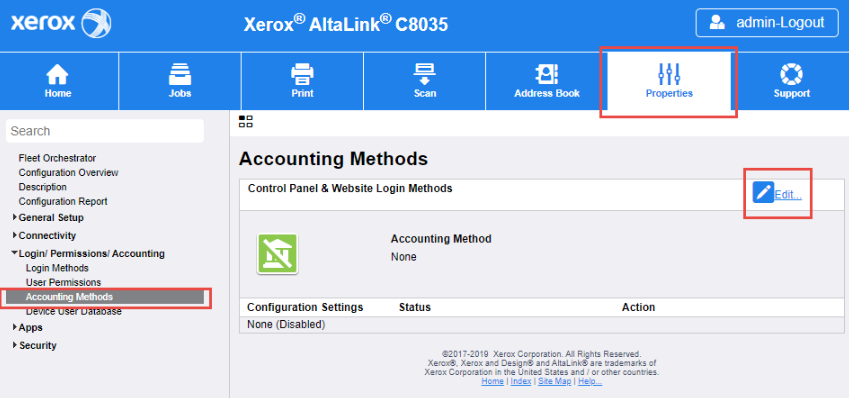
Go to the Properties section.
-
Continue to the Login Permissions/Accounting > Accounting methods tab.
-
Click Edit Control Panel & Website Login Methods.
-
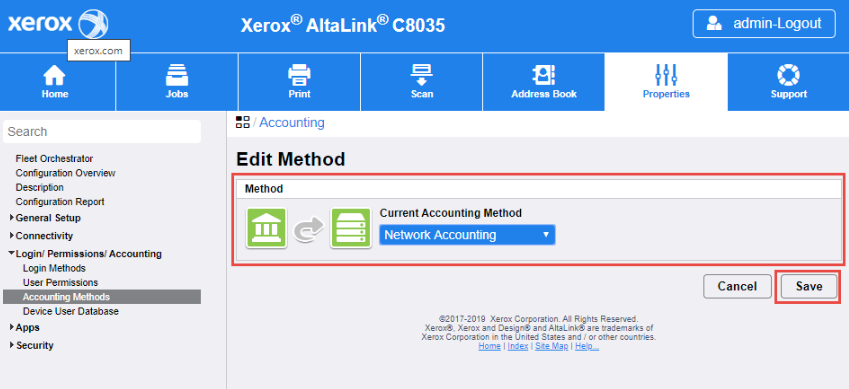
For Current Accounting Method select Network Accounting.
-
Click Save.
-
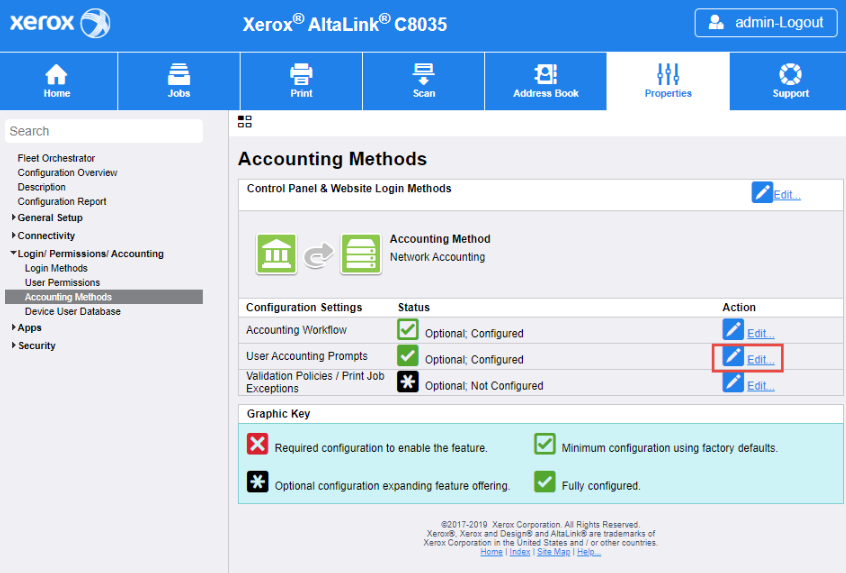
Navigate to Accounting Methods section and edit the User Accounting Prompts.
-
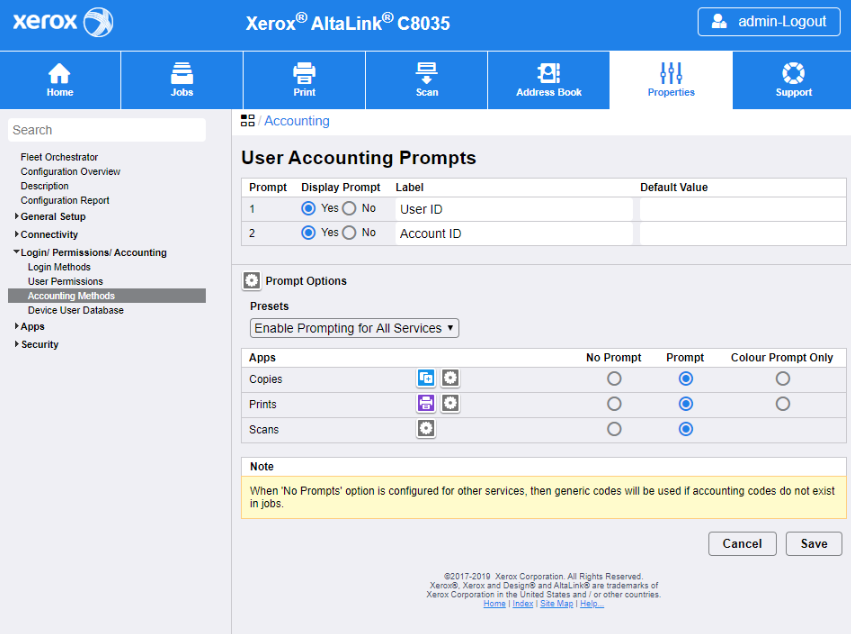
Configure User Accounting Prompts according to the screenshot below:
-
Click Save.
