-
Open the device web interface.
-
Log in to the device as an administrator.
-
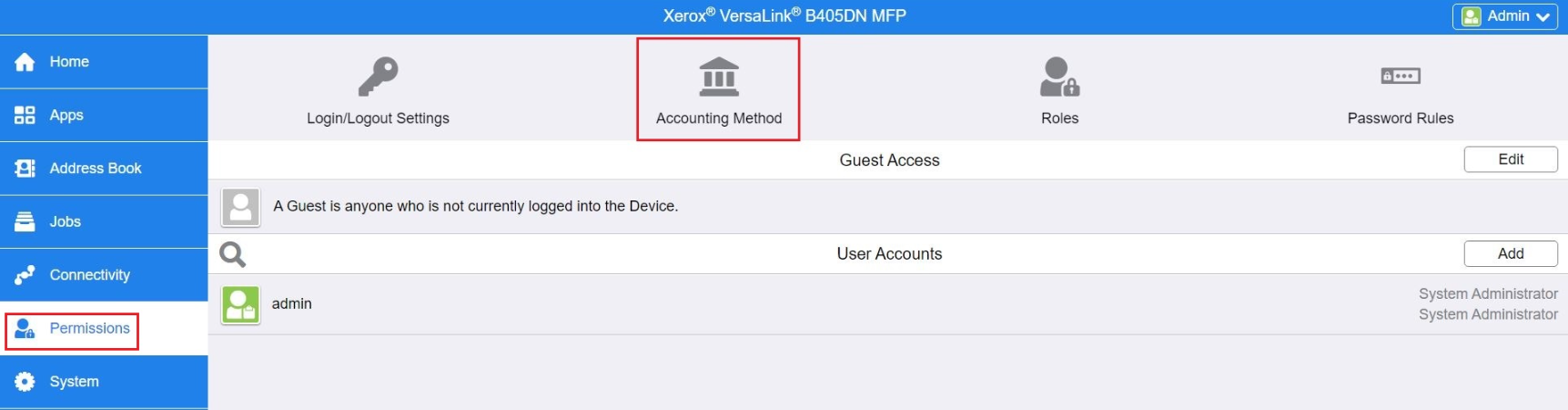
Go to the Permissions section.
-
Continue to the Accounting Method menu.
-
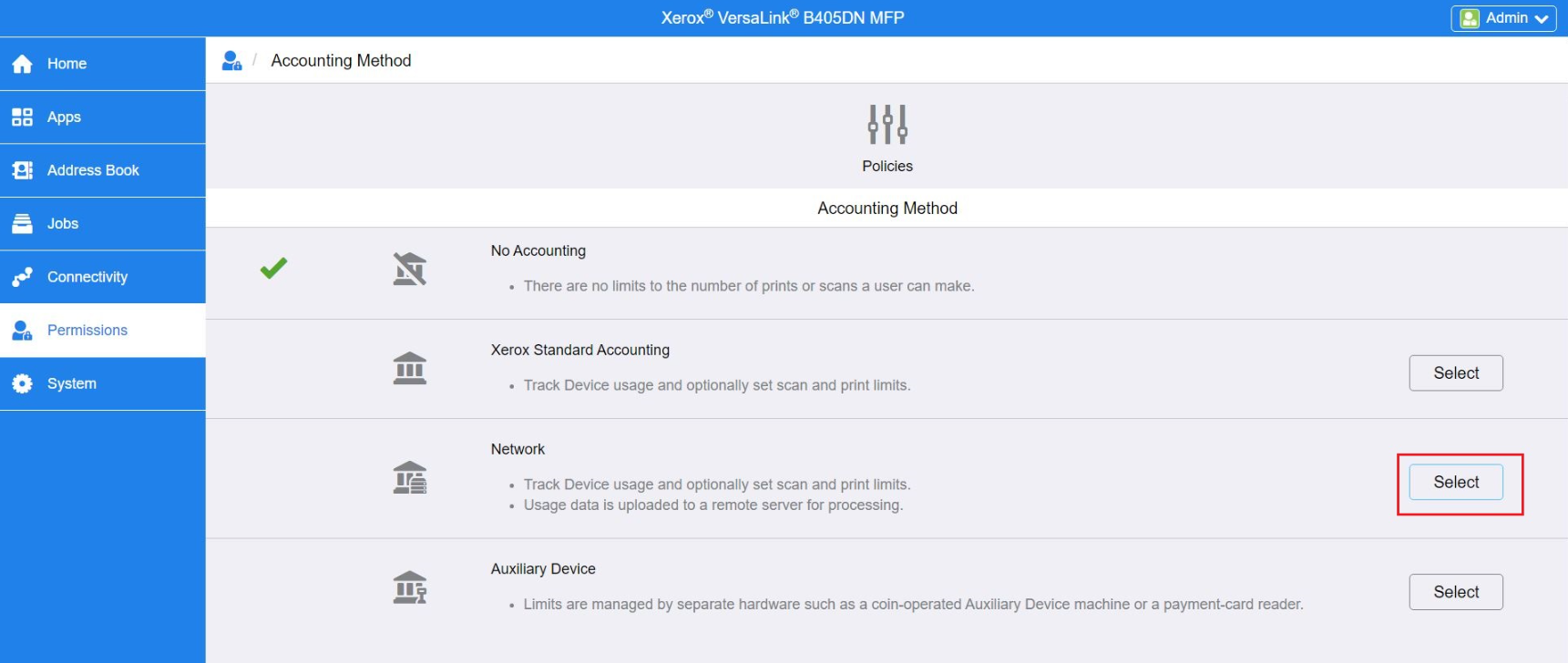
Select Network option.
-
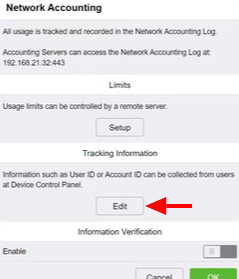
Edit Tracking information.
-
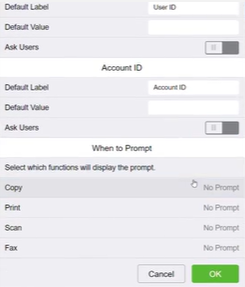
For Default Label in User ID section fill in “User ID”.
-
Leave blank the Default Value in User ID section.
-
Disable Ask User option in User ID section.
-
For Default Label in Account ID section fill in “Account ID”.
-
Leave blank the Default Value in User ID section.
-
Disable Ask User option in Account ID section.
-
In When to Prompt section select the value for Copy, Print, Scan and Fax to “No Prompt”.
-
Click OK.