-
Open the device web interface.
-
Log in to the device as an administrator.
-
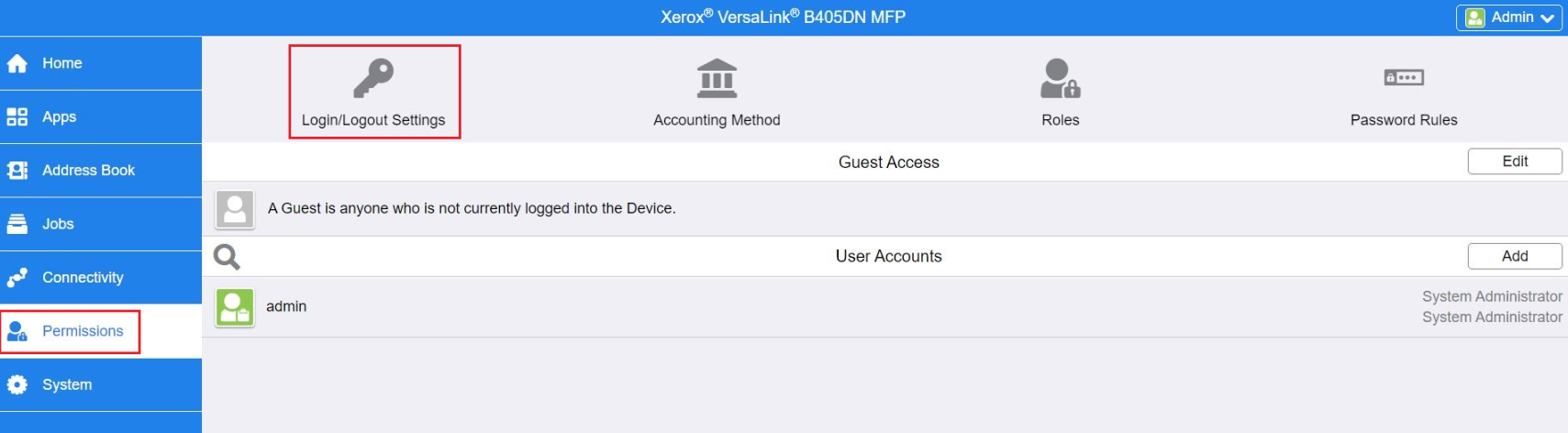
Go to the Permissions section.
-
Continue to the Login/Logout Settings menu.
-
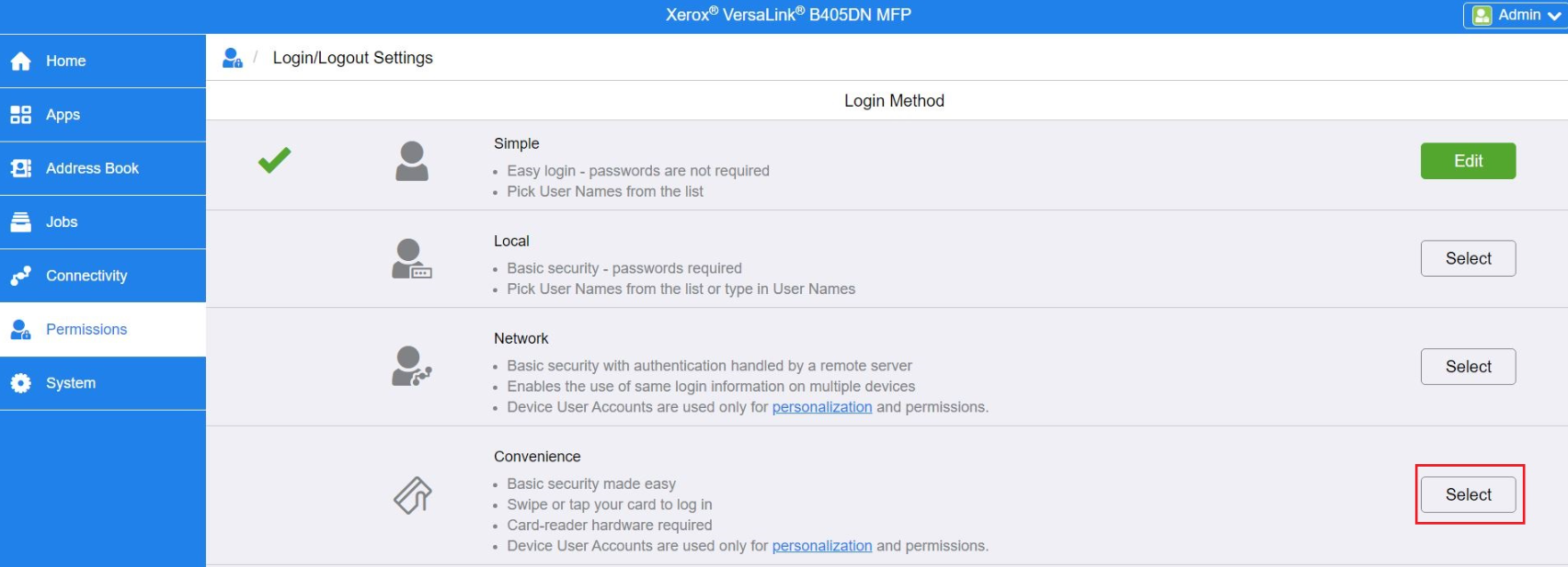
Select Convenience option.
-
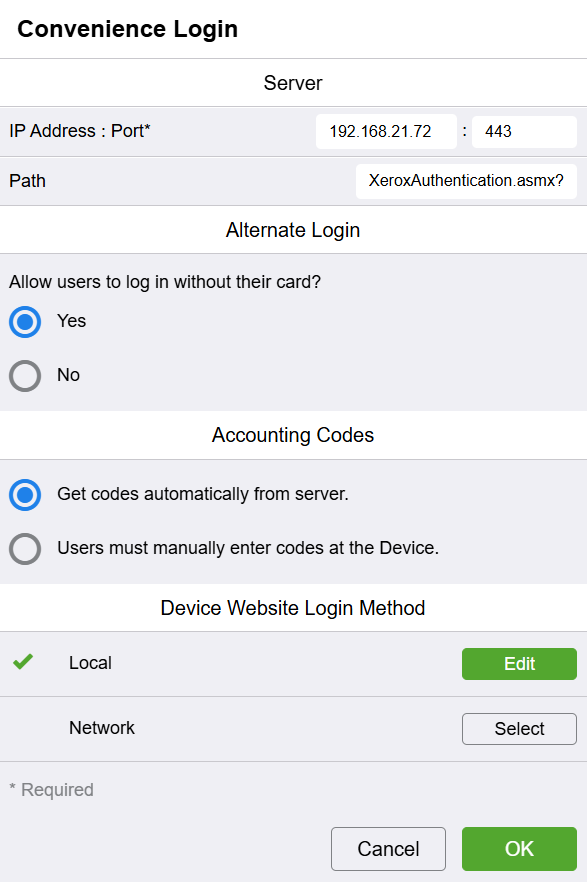
For IP Address : Port enter IP address of OptimiDoc Cloud Node (OCN) and port :443.
-
For Path enter XeroxAuthentication.asmx?ip=ENTER_IP_ADDRESS_OF_THE_DEVICE and replace “ENTER_IP_ADDRESS_OF_THE_DEVICE” by real device IP address.
-
For Alternate Login select option “Yes” so that users could log in without their card.
-
For Accounting Codes select option Get codes automatically from server.
-
For Device Website Login Method select Local option.
-
Click OK.
-
To prevent unauthenticated users from accessing the apps, go to the Permissions menu.
-
Edit the Guest Access.
-
Select Device User Role option.
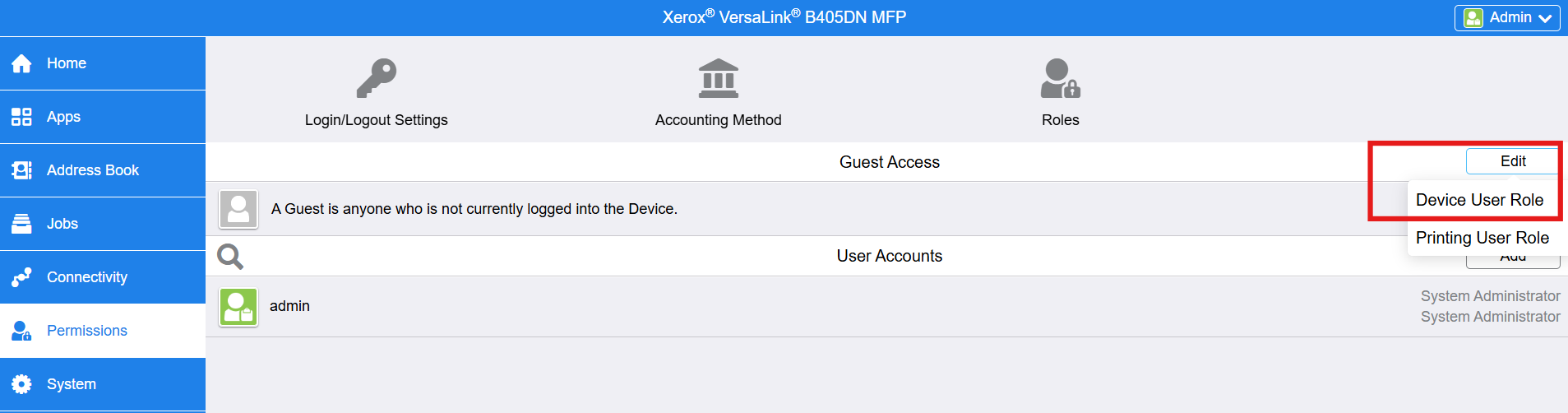
-
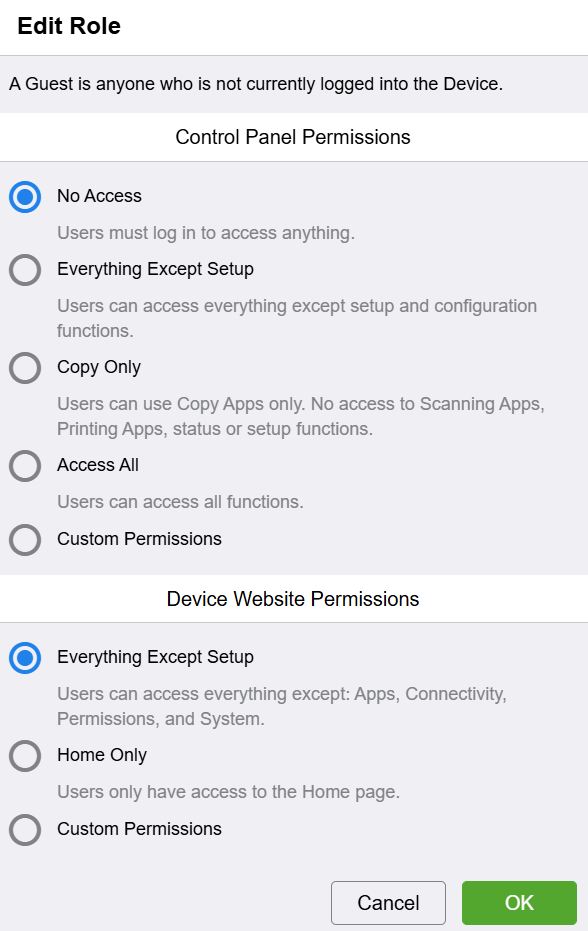
For Control Panel Permissions select “No Access” option.
-
For Device Website Permissions select “Everything Except Setup” option.