
The General section contains the core company details and administrative information used across OptimiDoc Cloud. Administrators can view and update essential settings that identify the company, define contact points, and control how the environment is managed.
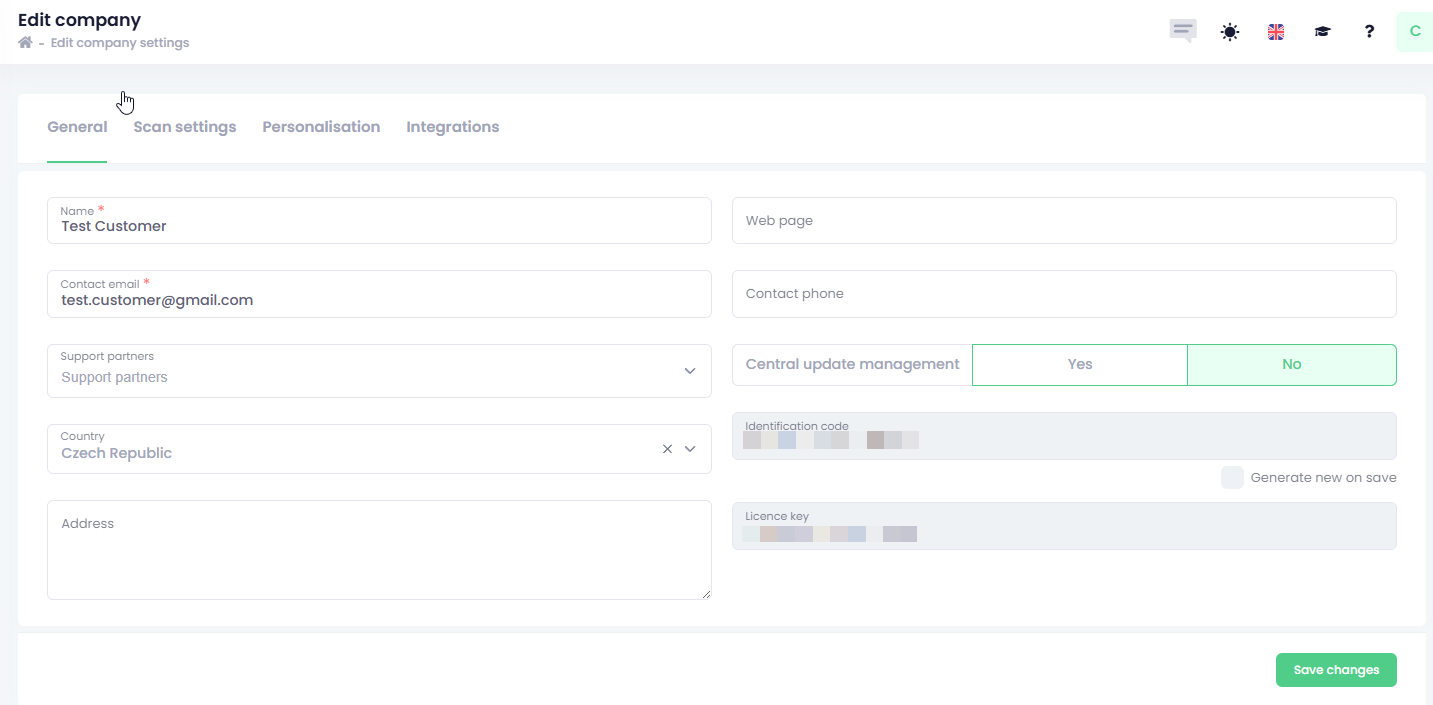
This includes:
-
Company identity information such as name, address, country, and website
-
Administrator contact details for support and notifications
-
Support partner assignment for delegated configuration and assistance.
The Support Partners allows you to grant your supplier or partner access to your company configuration so they can assist with setup, troubleshooting, and ongoing management.
As long as a support partner is assigned, they are able to modify your company settings and provide technical support.
If you remove a support partner, they will no longer have access to your tenant or be able to assist you.
This option is useful for organisations that require a higher level of privacy and security, as it ensures that only approved parties can access configuration settings.
-
Central update management settings for controlling OptimiDoc Cloud Client updates
-
Identification code for support and integration purposes
Keep your Identification Code secure. It is used for communication and authentication with all embedded applications and device‑installed apps.
If the code is ever compromised, you can regenerate a new one directly in the Settings section.
Important:
After changing the Identification Code, you must update it on all embedded applications installed on devices.
Until updated, those applications will not be able to communicate with OptimiDoc Cloud.
-
Licence key associated with the tenant subscription