General Configuration
The General tab defines how the connector is identified and who is permitted to use it:
-
Name: Enter the title of the print connector as it will appear on the MFP device panel
-
Is Enabled: Use this toggle to globally activate or deactivate the connector
-
Access Rights: Define which specific Groups or Departments are authorized to see and interact with this connector on their devices.
Managing Display Order
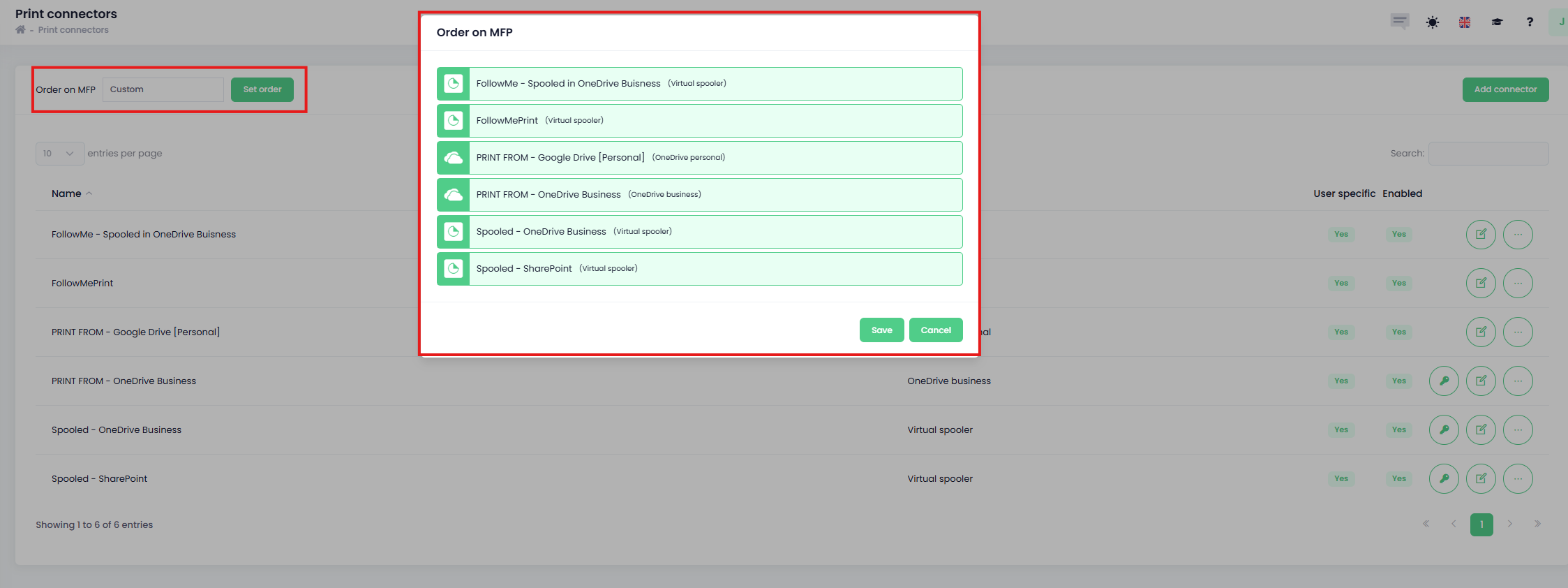
Administrators can control the visual layout of connectors on the MFP screen to prioritize those used frequently.
-
Locate the Order On MFP dropdown menu above the connection table
-
Choose between Alphabetical, Alphabetical descending or Custom
-
If Custom is selected, click Set order to use drag-and-drop handles to sequence the connectors.