
If you don’t have a valid product key, follow the steps below to obtain it online through the Epson portal.
-
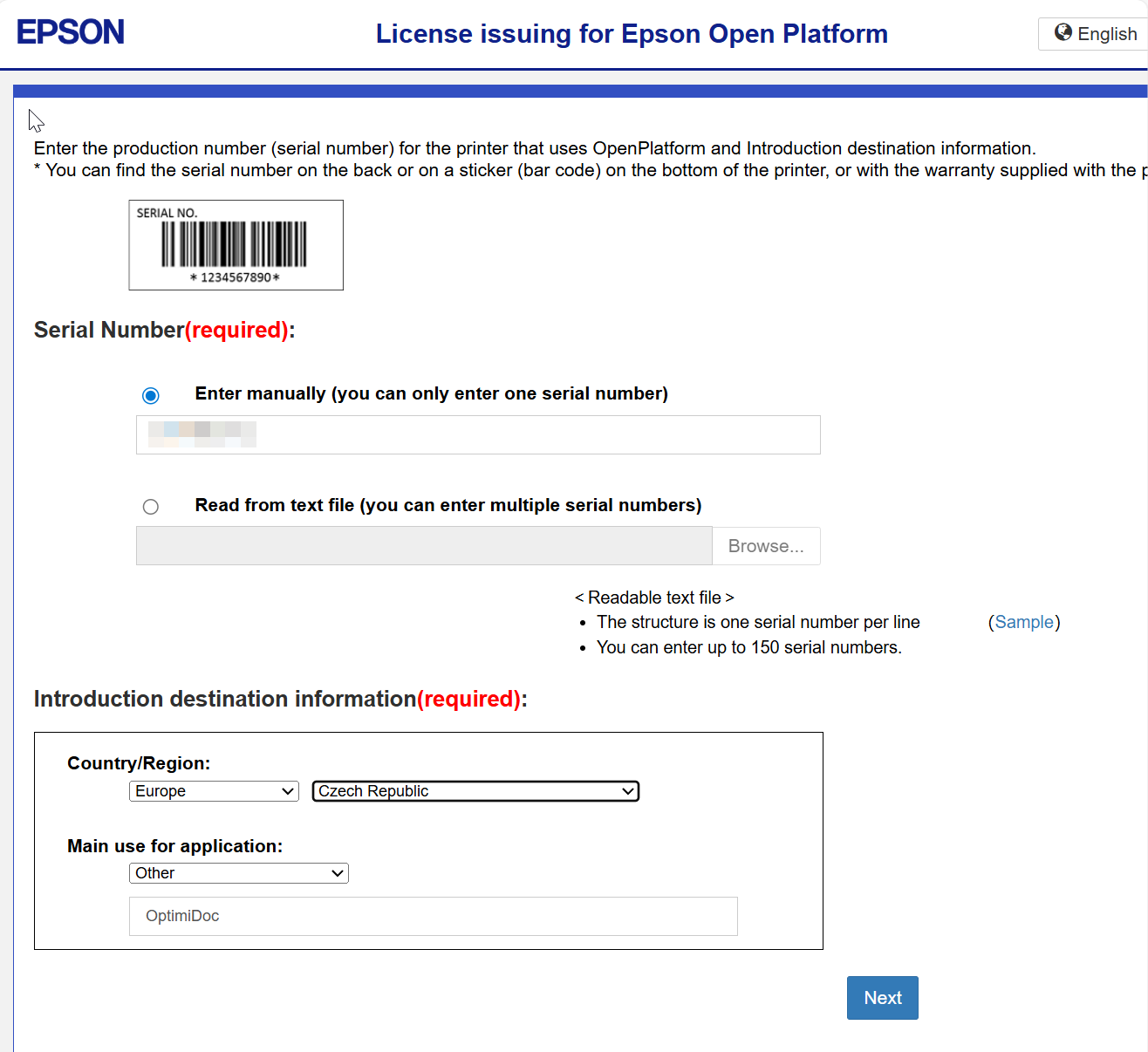
Open the Epson EOP License Issuing Website: https://openplatform.epson.biz/license-op/inputInformation.html
-
Enter the Required Information. You must provide:
-
Printer serial number
-
Select Region and Country
-
Main use application. Select Other and enter OptimiDoc
-
-
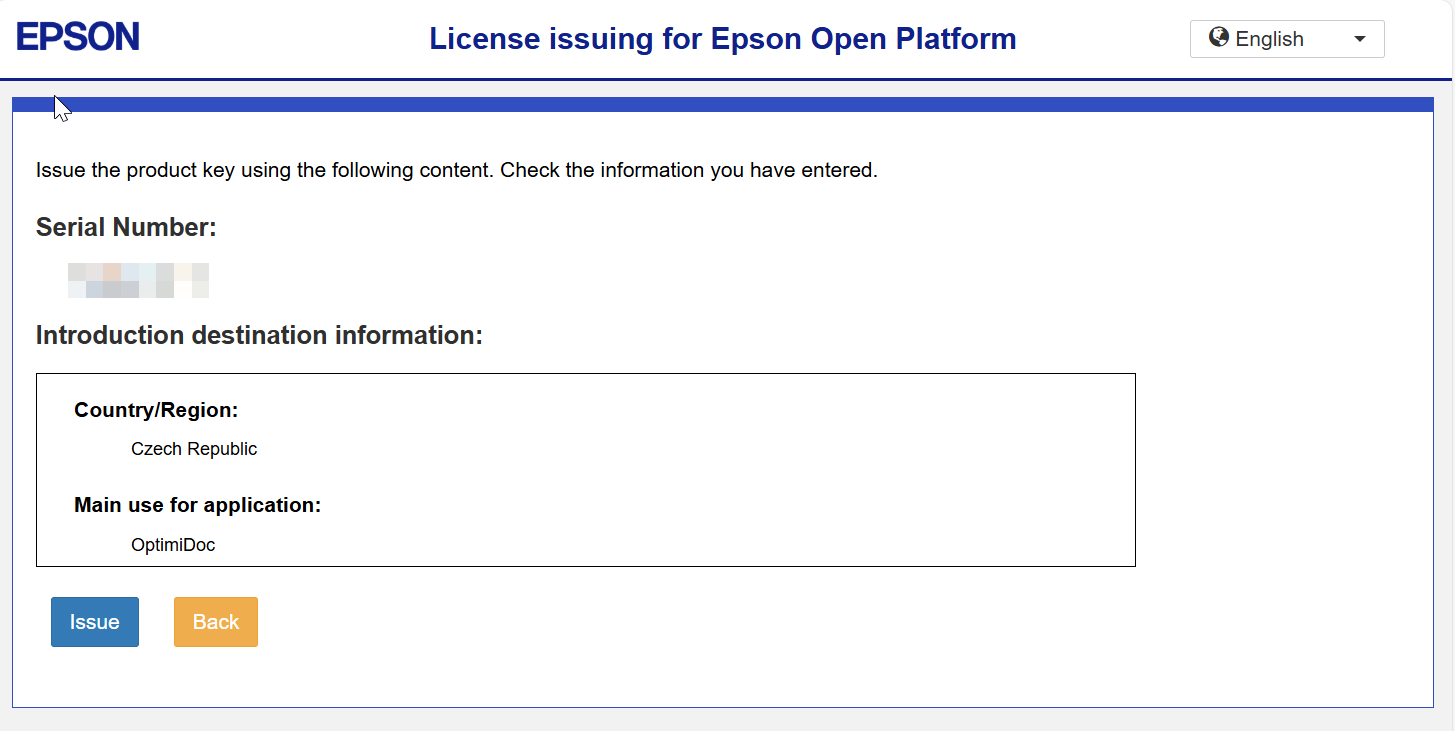
Click Issue.
-
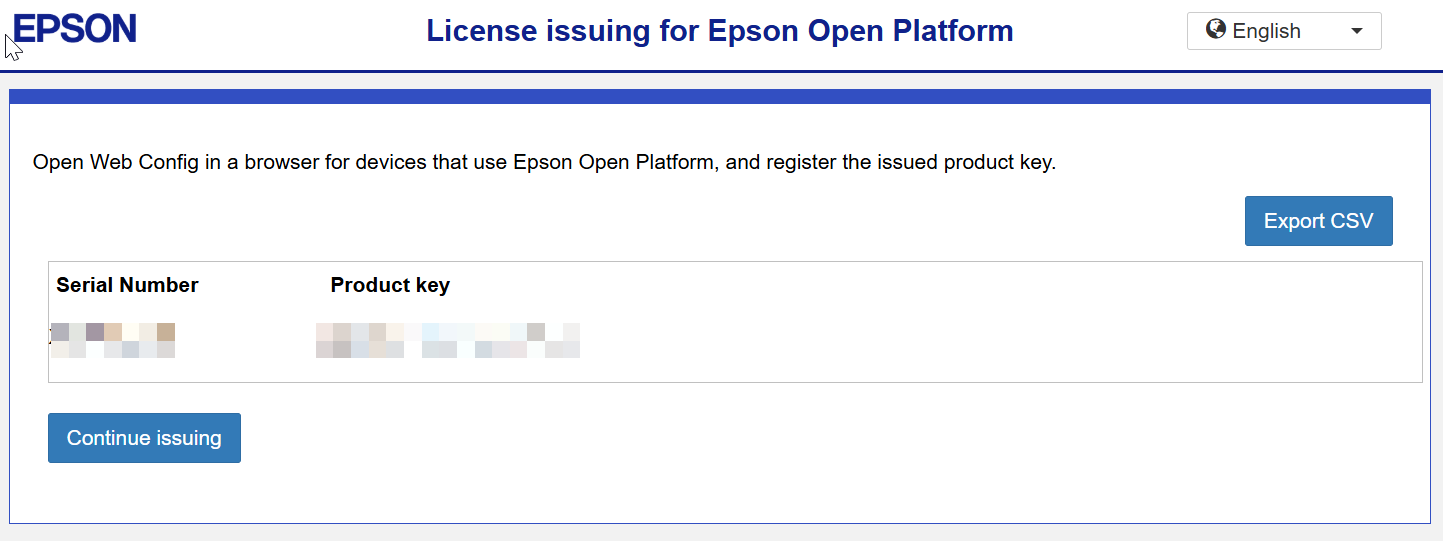
Store your Product key.
-
Apply the Key to the Device.
-
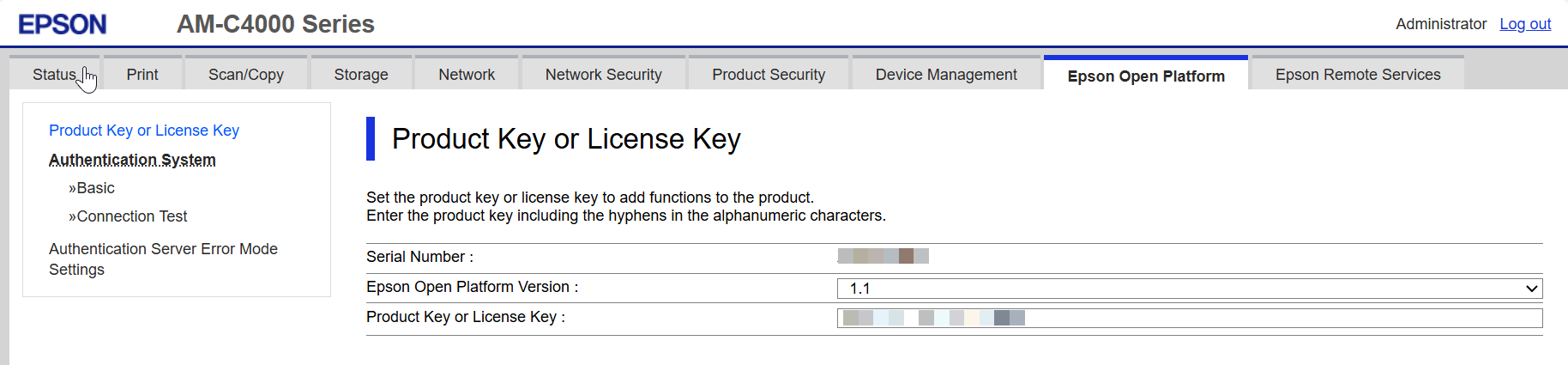
Open the printer's web page and sign in as an administrator.
-
On the Epson Open Platform tab, select Product Key or License Key in the menu.
-
Enter the Product Key and click Next.
-
Confirm the settings on the next page, and you are done.