
-
Open the printer’s web interface and sign in as an administrator.
-
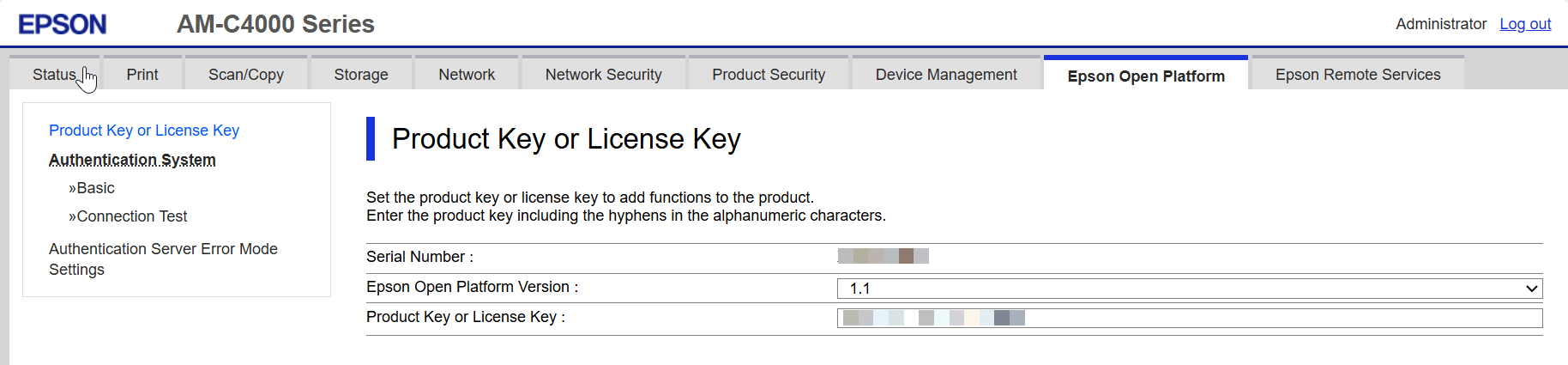
In the Epson Open Platform section, select Product Key or License Key from the menu.
-
The Epson Open Platform version must be set to 1.1, and a valid Product Key must be entered.
If the Product Key is missing, follow the instructions provided here: How to Get the Epson Open Platform Product Key